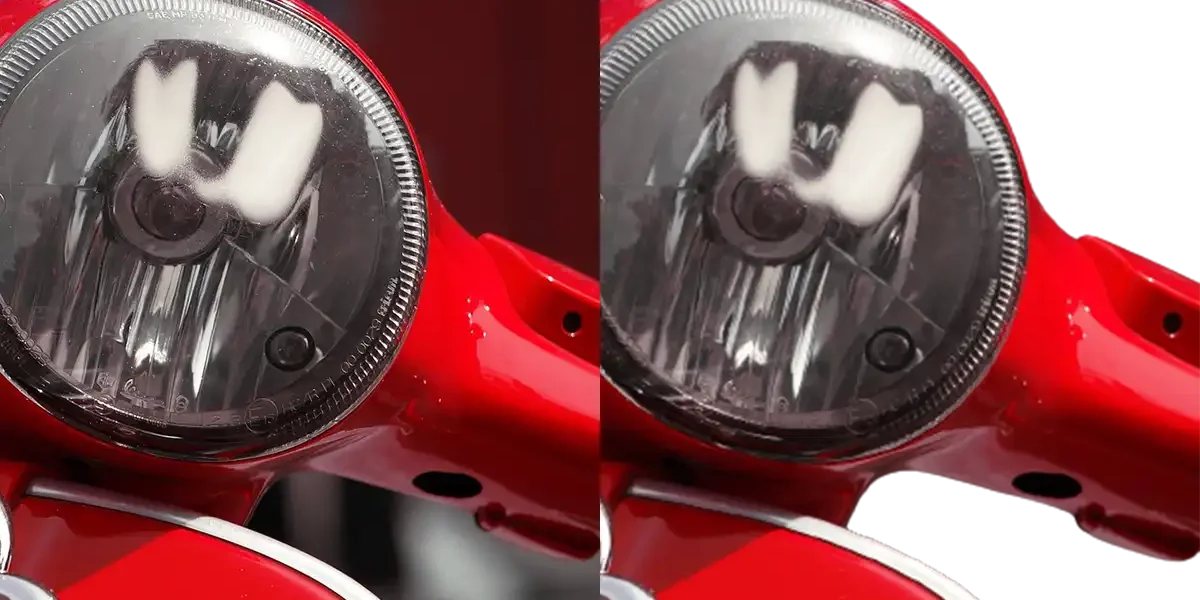
AI Tools for Removing Backgrounds from Photos
Removing backgrounds from images has become significantly easier with the advent of AI-powered tools. These tools utilize advanced algorithms to automatically detect and eliminate backgrounds, saving time and enhancing image quality. Here are some popular AI tools for background removal:
Remove.bg is an online tool that quickly and automatically removes backgrounds from images. Simply upload your photo, and the AI will instantly detect the subject and remove the background. It’s ideal for creating transparent PNGs, adding white backgrounds, or isolating subjects for various purposes.
LunaPic is a free online photo editor that offers a background removal feature. It allows you to select the desired object and easily remove the background, providing a simple solution for quick edits.
Adobe Photoshop Elements, a more accessible version of Photoshop, also includes an automatic background removal option. It simplifies the process of isolating subjects from their backgrounds, making it suitable for users seeking professional results without the complexity of full Photoshop.
GIMP (GNU Image Manipulation Program) is a free and open-source image editing software that can be used for background removal. While not specifically an AI tool, GIMP offers various selection and masking techniques to manually remove backgrounds, providing flexibility for detailed edits.
InPixio offers tools for removing backgrounds from photos, utilizing AI technology for precise object and background detection. It’s designed to deliver quick and accurate results, suitable for both beginners and professionals.
Fotor is another online tool that provides background removal capabilities. It enables you to upload your image and apply the background removal feature effortlessly, streamlining the editing process.
Removal.ai is an online tool specialized in background removal. It operates similarly to Remove.bg, delivering fast results with high-quality output, making it a reliable choice for quick edits.
Note: The quality of the results may vary depending on the complexity of the image and the algorithm used. For images with intricate backgrounds or when high-quality results are required, professional software like Adobe Photoshop may be necessary for manual retouching.
It’s recommended to try different tools to see which best suits your needs and skills.